
Protection for PC, Mac and mobile from the leading brands: Bitdefender, ESET, Kaspersky, Norton, McAfee and more.
 Panda Dome Advanced, 1 Device, 1 Year
7.73 €
 ESET HOME Security Essential, 3 Devices, 1 Year
39.68 €
 Bitdefender Total Security, 5 Devices, 1 Year (GR/CY)
39.68 €
Genuine digital licences for Windows 11 and Windows 10, Pro and Home. Your key arrives by email within minutes.
 Windows 11 Pro, 1 PC, Lifetime License
9.39 €
 Windows 10 Pro, 1 PC, Lifetime License
9.39 €
 Windows 10 Home, 1 PC, Lifetime License
9.39 €
Microsoft Office licences for Windows and Mac: Word, Excel, PowerPoint and Outlook, as perpetual editions and subscriptions.
 Microsoft 365 Personal, 1 User, 1 Year
90.40 €
 Ashampoo Office 9, 5 PCs, Lifetime License
37.20 €
 Microsoft Office Professional Plus 2019, 1 PC, Lifetime License
15.08 €
Windows Server and CAL licences for businesses, from Standard to Datacenter editions.
 Windows Server 2025 Datacenter, Lifetime License
243.61 €
 Windows Server 2019 Essentials, Lifetime License
85.37 €
 Windows Server 2025 Standard, Lifetime License
175.13 €
Tools for PDF, backup, graphics, video and privacy from ABBYY, Acronis, Adobe, Corel and more.
 CorelDRAW Graphics Suite 2026, Windows & Mac, Lifetime License
843.08 €
 Adobe Photoshop & Premiere Elements 2027, Windows & Mac, 3 Years
185.88 €
 Ashampoo ZIP Pro 4, 1 PC, Lifetime License
24.80 €
Protection for PC, Mac and mobile from the leading brands: Bitdefender, ESET, Kaspersky, Norton, McAfee and more.
 Panda Dome Advanced, 1 Device, 1 Year
7.73 €
 ESET HOME Security Essential, 3 Devices, 1 Year
39.68 €
 Bitdefender Total Security, 5 Devices, 1 Year (GR/CY)
39.68 €
View all antivirus (232)
Genuine digital licences for Windows 11 and Windows 10, Pro and Home. Your key arrives by email within minutes.
 Windows 11 Pro, 1 PC, Lifetime License
9.39 €
 Windows 10 Pro, 1 PC, Lifetime License
9.39 €
 Windows 10 Home, 1 PC, Lifetime License
9.39 €
View all Windows (7)
Microsoft Office licences for Windows and Mac: Word, Excel, PowerPoint and Outlook, as perpetual editions and subscriptions.
 Microsoft 365 Personal, 1 User, 1 Year
90.40 €
 Ashampoo Office 9, 5 PCs, Lifetime License
37.20 €
 Microsoft Office Professional Plus 2019, 1 PC, Lifetime License
15.08 €
View all Office (21)
Windows Server and CAL licences for businesses, from Standard to Datacenter editions.
 Windows Server 2025 Datacenter, Lifetime License
243.61 €
 Windows Server 2019 Essentials, Lifetime License
85.37 €
 Windows Server 2025 Standard, Lifetime License
175.13 €
View all Windows Server (21)
Tools for PDF, backup, graphics, video and privacy from ABBYY, Acronis, Adobe, Corel and more.
 CorelDRAW Graphics Suite 2026, Windows & Mac, Lifetime License
843.08 €
 Adobe Photoshop & Premiere Elements 2027, Windows & Mac, 3 Years
185.88 €
 Ashampoo ZIP Pro 4, 1 PC, Lifetime License
24.80 €
View all applications (103)

Windows 10 Pro, 1 PC, Lifetime License
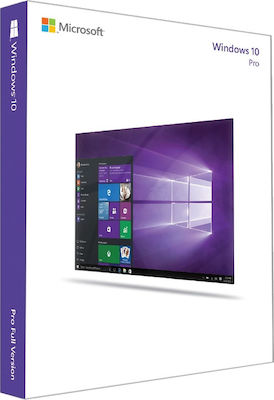
Windows 10 Pro: for computers that cannot run Windows 11
Windows 10 Pro remains a practical solution for computers that work perfectly but do not meet the Windows 11 requirements, for example because they lack TPM 2.0 or have a processor outside the compatibility list. The license activates one computer, in 32-bit or 64-bit, and is multilanguage.
What you should know about support
Free support for Windows 10 from Microsoft ended in October 2025. The operating system keeps working normally, but it no longer receives regular security updates. That is why we suggest:
- If your PC meets the requirements, choose Windows 11 Pro.
- If not, pair Windows 10 with an up-to-date antivirus and keep your browser and programs updated.
On a computer that meets the requirements, Windows 10 can be upgraded to Windows 11 for free through Windows Update.
Pro edition features
- BitLocker drive encryption.
- Remote Desktop to access the PC from another device.
- Hyper-V for virtual machines.
- Domain join and Group Policy for business networks.
- Compatibility with older programs and peripherals that lack Windows 11 drivers.
Minimum system requirements
- 1 GHz processor or faster
- 1 GB RAM for 32-bit or 2 GB for 64-bit
- 16 GB storage for 32-bit or 20 GB for 64-bit
- DirectX 9 compatible graphics and an 800x600 display
Installation and activation
- After payment you receive the 25-character product key by email.
- Download the media creation tool or the ISO file from the official Microsoft download page and create a USB installer.
- Install Windows and enter the key when prompted. If Windows is already installed, enter it under Settings > System > Activation > Change product key.
- Activation completes online within a few seconds.
Frequently asked questions
32-bit or 64-bit?
If the computer has 4 GB of memory or more, choose 64-bit. The 32-bit version only makes sense on very old machines.
Can I upgrade from Windows 10 Home?
Yes. Enter the Pro key in the activation settings and the upgrade happens without reinstalling.
- Windows
No reviews found
- Most popular
- On sale
- Recently viewed